This section helps you control how many devices a user can log in from. It is useful for preventing account sharing and keeping your portal secure.
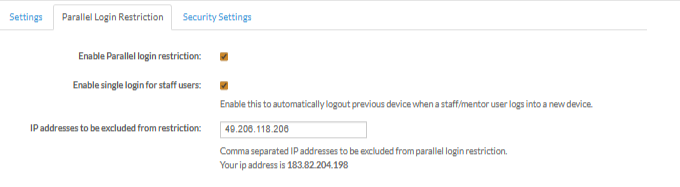
Parallel Login Restriction
Turn this on to stop users from logging in from multiple devices at the same time.
Single Login for Staff
Automatically logs out staff/mentors from the previous device when they log in on a new one.
Excluded IPs
Add IP addresses that should not follow login restrictions. Enter multiple IPs separated by commas.
Login Limits
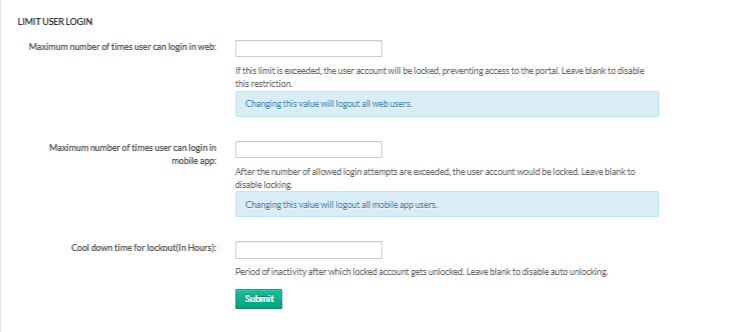
These settings help you control how many times users can attempt login before being locked out.
1. Web Login Limit
Set how many times a user can log in on the web.If the limit is crossed, the account gets locked.
Leave blank to disable.
Changing this will log out all web users.
2. App Login Limit
Set login attempt limits for the mobile app. Accounts are locked after exceeding the limit.
Leave blank to disable.
Changing this will log out all mobile app users.
3. Lockout Cooldown (Hours)
Set how long a locked account stays locked before auto-unlocking. Leave blank to disable auto-unlock.
Was this article helpful?
That’s Great!
Thank you for your feedback
Sorry! We couldn't be helpful
Thank you for your feedback
Feedback sent
We appreciate your effort and will try to fix the article