How to block or unblock multiple users at once
This feature helps you quickly block or unblock multiple users by entering their usernames or email IDs.
Steps to Block or Unblock Users in Bulk
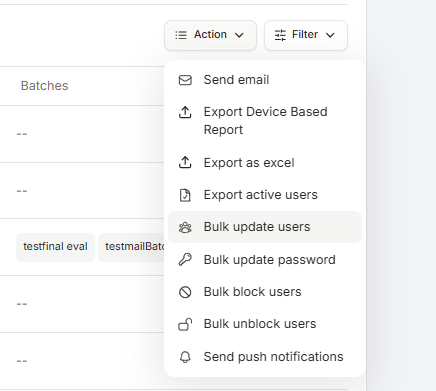
Go to Members.
Select Bulk Block / Unblock Users.
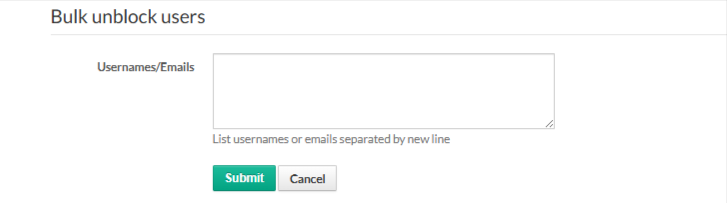
Enter User Details
In the input box, list usernames or email IDs,
Enter one username or email per line.
Each user should be on a new line.
Apply the Action
Choose whether to Block or Unblock the listed users.
Click Submit to apply the changes.
Notes
Blocked users will not be able to access the platform until unblocked.
Unblocking restores access immediately.
Ensure usernames or email IDs are entered correctly to avoid errors.
Was this article helpful?
That’s Great!
Thank you for your feedback
Sorry! We couldn't be helpful
Thank you for your feedback
Feedback sent
We appreciate your effort and will try to fix the article