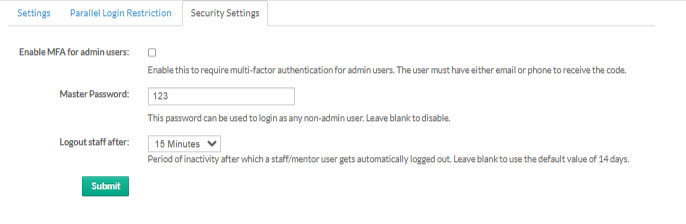
This section helps you manage key security controls for admin and staff accounts.
1. MFA for Admins
Enable this to require multi-factor authentication for admin users. Admins must have either email or phone access to receive the verification code.
2. Master Password
A single password that lets you log in as any non-admin user. Leave this field blank if you want to disable the master password feature.
3. Staff Auto-Logout
Choose how long a staff or mentor can stay inactive before being logged out automatically. Leave blank to use the default timeout of 14 days.
Was this article helpful?
That’s Great!
Thank you for your feedback
Sorry! We couldn't be helpful
Thank you for your feedback
Feedback sent
We appreciate your effort and will try to fix the article