The Products section lets you view and manage all the courses or products available in your institute. This includes everything you have created and published for learners to purchase or access.
How to Access Products
Go to the Menu
Click on Store
You will see the complete list of all courses and products
Create a New Product
The Create New Product section allows you to add and configure courses or products that learners can purchase from your store. You can define product details, pricing, validity, and communication settings before publishing.
How to Create a New Product
Go to Menu → Store
Click Create a package / Create New Product

Fill in the required product details
Click Create Product
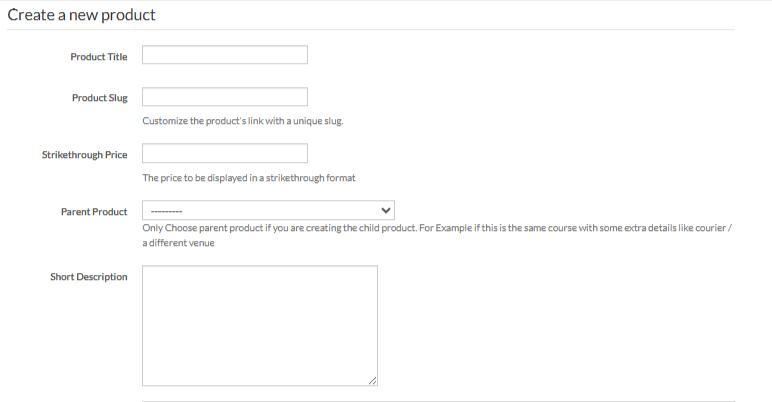
Enter Product Details
Product Title: Enter the name of your course or product
Product Slug: Customize the product URL with a unique slug
Strikethrough Price: Display an original price for comparison
Parent Product: Select only if this is a child product (same course with different pricing or access)Short Description: Brief summary shown on the product page
Detailed Description: Full product description using the editor
Start Date & End Date: Control product availability
Product Image: Upload an image to represent the product
Tags & Category: Helps organize and filter products
Payment Success Custom Email Notification
Enable this option to send a custom email after successful payment

Pricing Details
Offer Name: Name your pricing plan or offer
Price: Set the product price
Purchase Validity Type:
Relative (in days) or lifetime access
Validity: Number of days the product remains accessible
Start & End Date: Schedule offer availability
You can add multiple pricing offers for the same product

Review all details
Click Create Product to publish or save the product
Was this article helpful?
That’s Great!
Thank you for your feedback
Sorry! We couldn't be helpful
Thank you for your feedback
Feedback sent
We appreciate your effort and will try to fix the article