In addition to the Apps-based integration, Google Tag Manager can also be integrated using Code Injection.
Steps to Add GTM Using Code Injection
Log in to your Testpress Admin Dashboard.
Navigate to Settings → Code Injection.
From Google Tag Manager:
Copy the GTM <script> code.
Copy the <noscript> iframe code.
Paste the codes into code injection space
<script> code into Code to be injected in Header.
<noscript> code into Code to be injected in Body
.
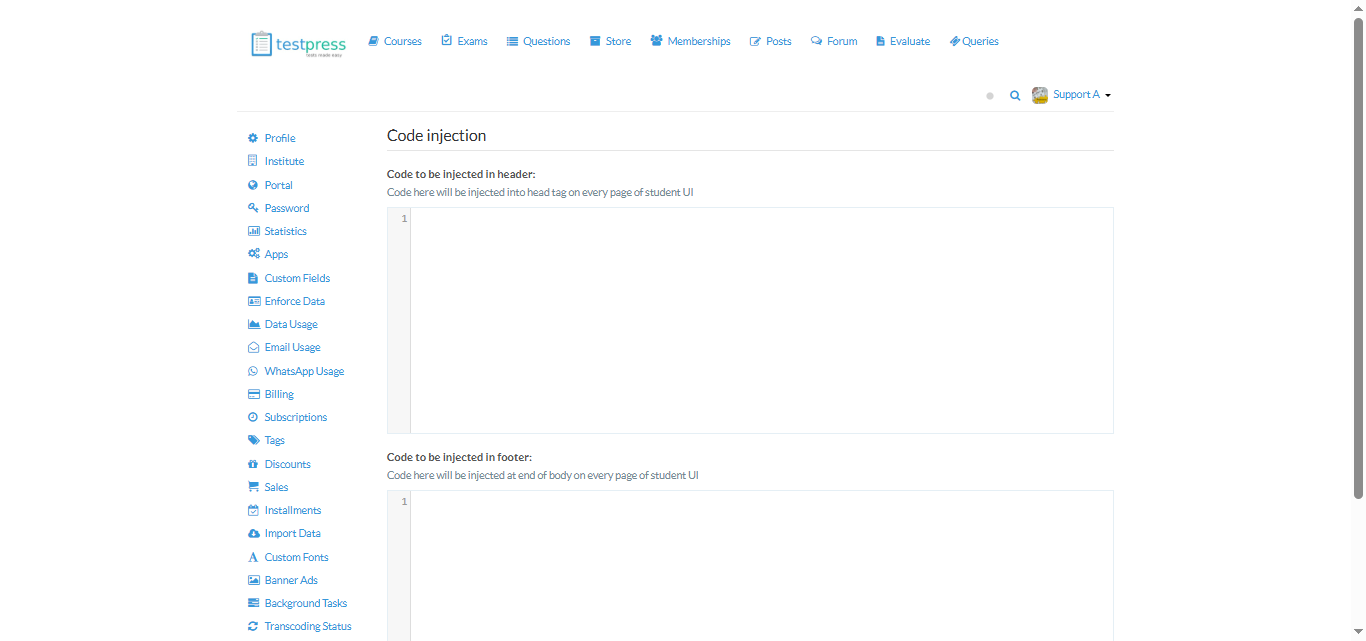
Click Submit to save changes.
Where to Get Google Tag Manager Tracking Script
Go to Google Tag Manager.
Log in using your Google account.
Select your Account.
Choose the required Container.
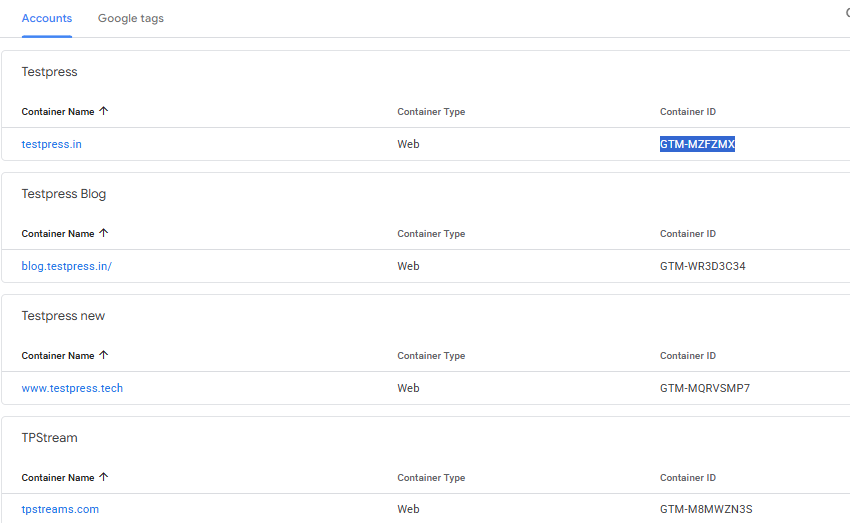
Navigate to Overview and click the tracking code, a pop up will appear displaying the script
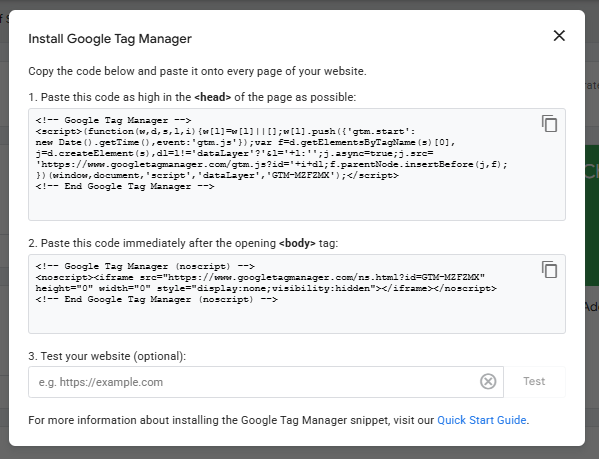
Copy the tracking code and paste these keys into the respective fields in Testpress.
Related articles
How to integrate Google Analytics GA4
Was this article helpful?
That’s Great!
Thank you for your feedback
Sorry! We couldn't be helpful
Thank you for your feedback
Feedback sent
We appreciate your effort and will try to fix the article