In this section, you will learn how to monitor and track the progress of your learners, including their course completion, assessments, and engagement with course materials.
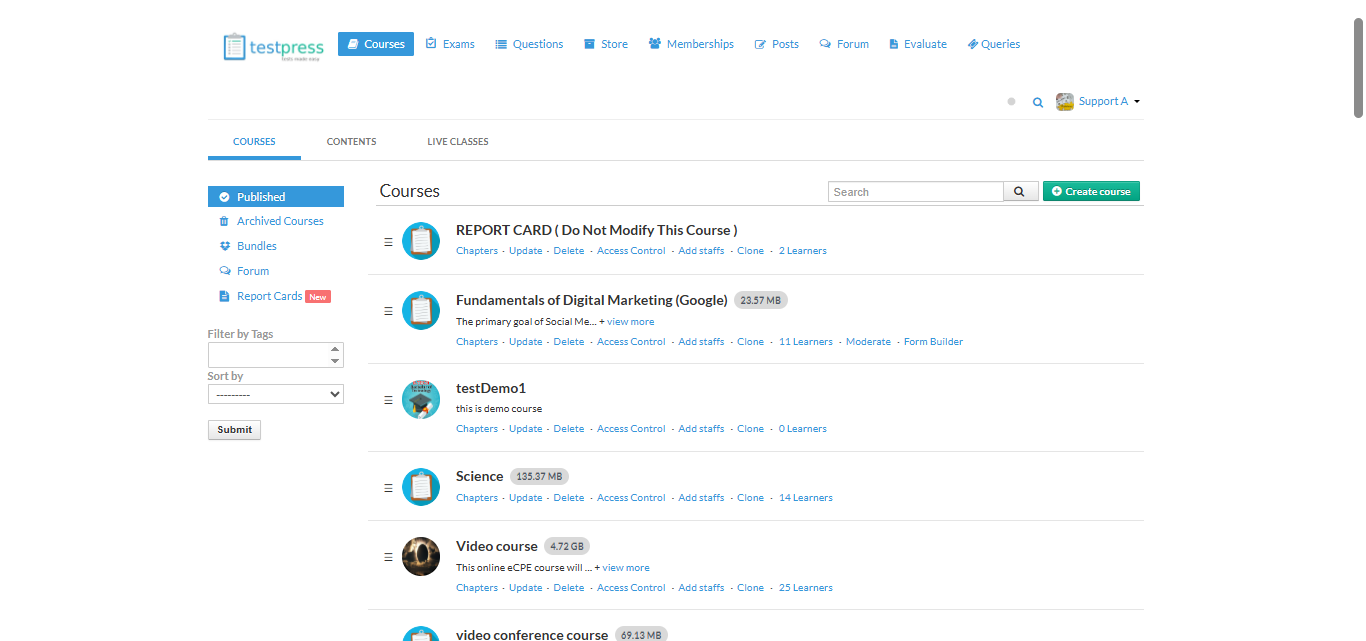
Access Learners List:
Go to the course for which you want to track learners.
Click on the Learners tab.
View Overview:
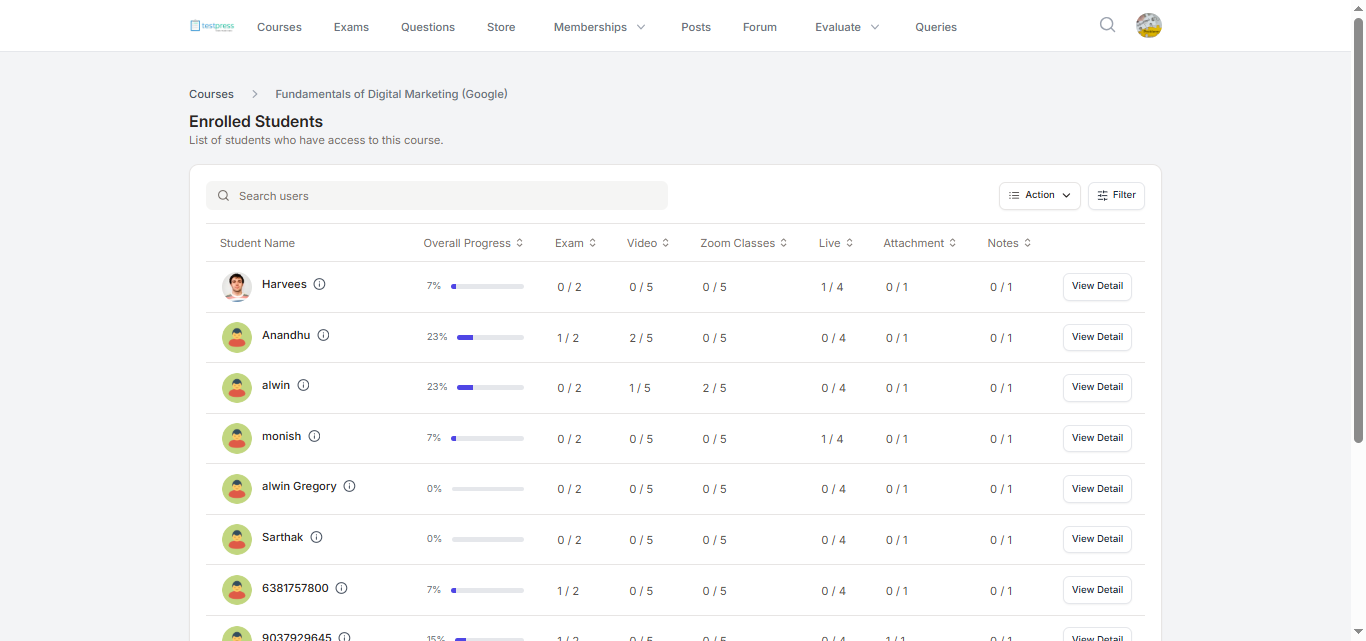
You will see a list of all learners enrolled in the course along with details such as:
Student Name
Overall Progress
Exam
Video
Zoom Classes
Live Sessions
Attachments
Notes
Export Data:
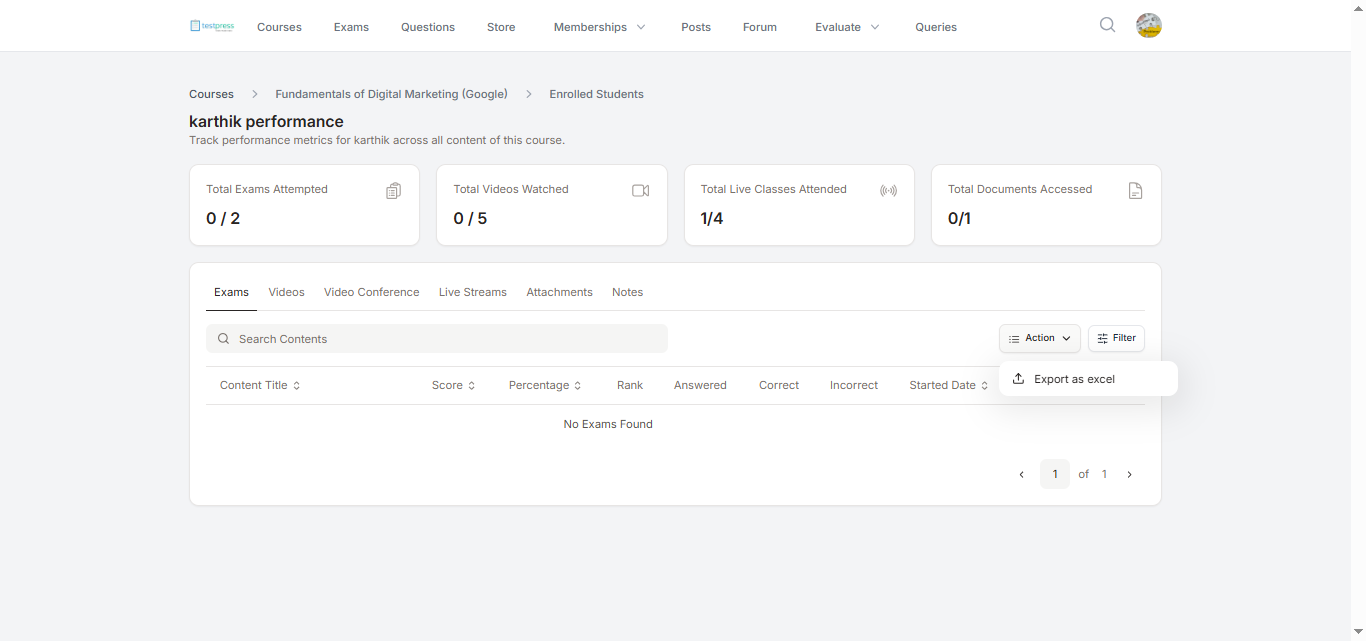
To analyze or share progress externally, click Export as Excel under the Action button to download the learners’ data.
Individual Performance:
Click View Detail next to a learner’s name to see their individual performance, including:
Questions answered
Correct and incorrect answers
Score and overall progress
This way, you can easily track both overall course engagement and individual learner performance.
Was this article helpful?
That’s Great!
Thank you for your feedback
Sorry! We couldn't be helpful
Thank you for your feedback
Feedback sent
We appreciate your effort and will try to fix the article