This section helps you send push notifications to users using predefined templates. Push notifications are useful for announcements, reminders, updates, and important alerts.
Steps to Send a Push Notification
Navigate to Memberships.

Go to Members Management.
Click on Actions.
Select Send Notification.
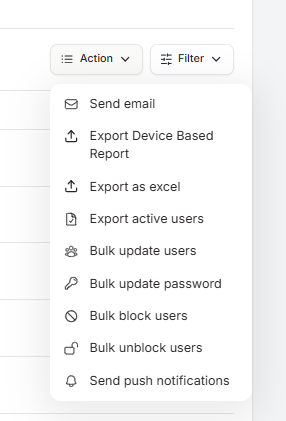
Click Add Template.

Enter a Template Title for internal reference.
Choose the Recipient Type based on whom you want to notify (for example: selected users, users who purchased a product, users with course access, etc.).
Enter the Notification Title that will appear to users.
Add the Notification Message content.
Click Save template to reuse later, or Save and send notification to send it immediately.
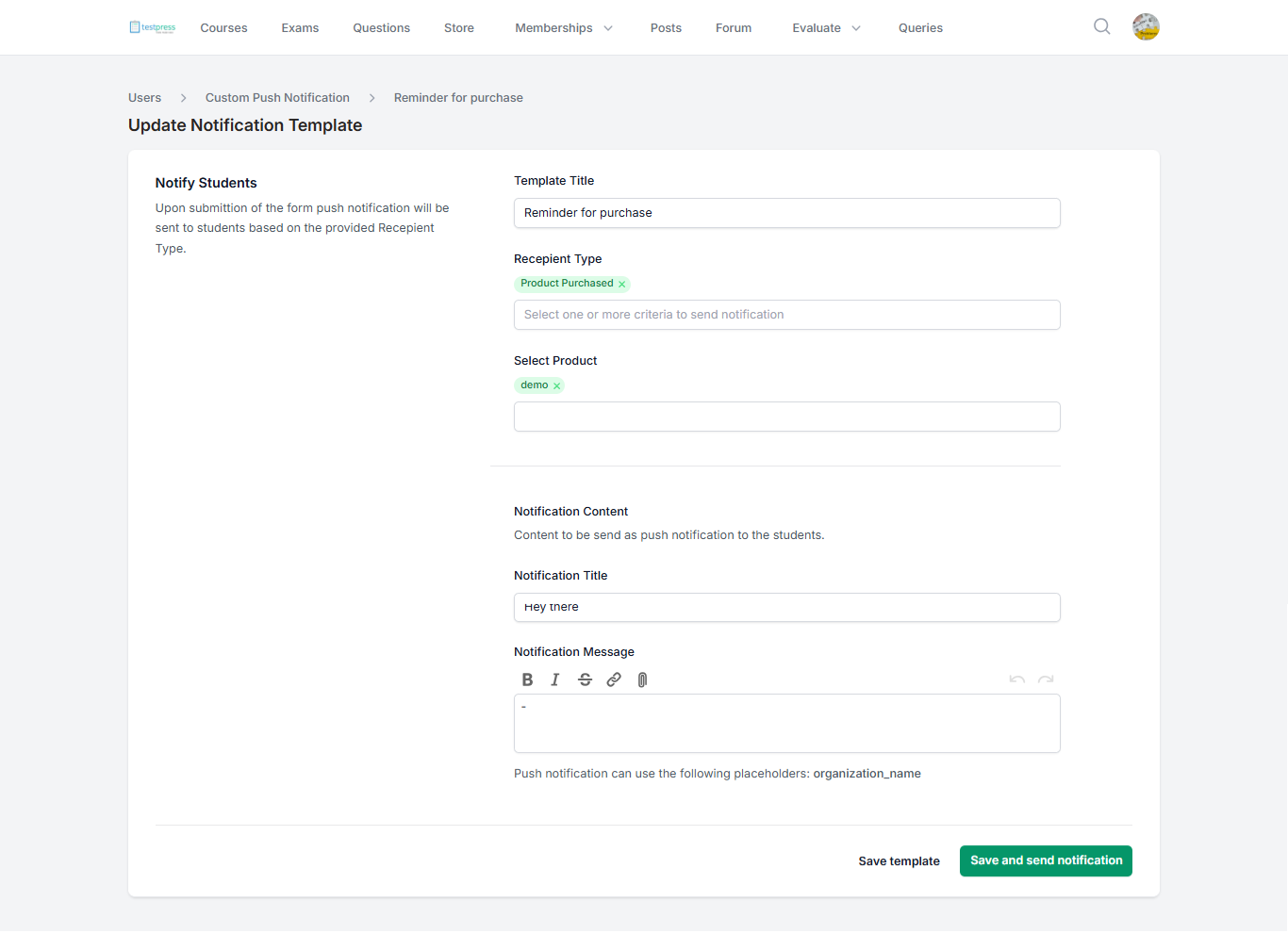
Once sent, the push notification will be delivered to users based on the selected recipient criteria.
Was this article helpful?
That’s Great!
Thank you for your feedback
Sorry! We couldn't be helpful
Thank you for your feedback
Feedback sent
We appreciate your effort and will try to fix the article