Automatically send WhatsApp reminders to users to complete their purchase
WhatsApp Notifications allow you to send automated reminders to users via WhatsApp, helping recover abandoned purchases and improve conversions.
Charges apply at ₹1 per message.
How to Enable WhatsApp Notifications
Steps
Navigate to Settings.
Click on Apps.
Select WhatsApp Notifications.
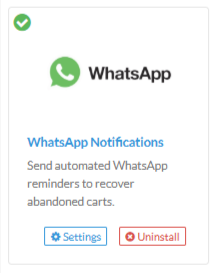
Click Install to enable the feature.

Once enabled, WhatsApp reminders will be automatically sent to eligible users.
What This Feature Does
Sends automated WhatsApp reminders
Encourages users to complete pending purchases
Helps reduce cart abandonment
No manual configuration required
Important Notes
Messages are sent automatically once the feature is enabled.
₹1 will be charged per WhatsApp message sent.
Ensure users have a valid WhatsApp number linked to their account.
Was this article helpful?
That’s Great!
Thank you for your feedback
Sorry! We couldn't be helpful
Thank you for your feedback
Feedback sent
We appreciate your effort and will try to fix the article