This section explains how to review answers, give marks, and publish results for exams
Step 1: Open Exam Evaluation
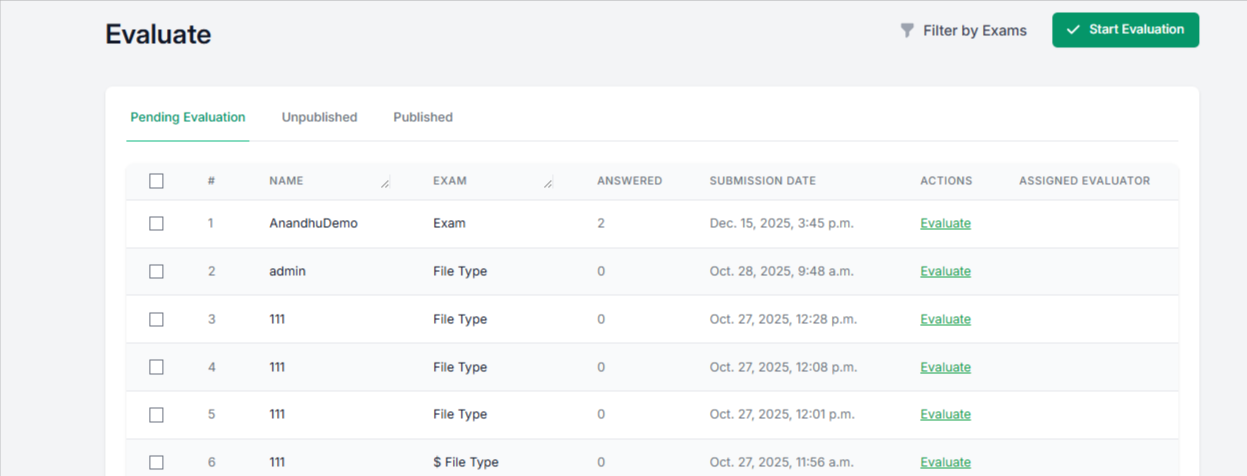
Go to Evaluate from the top menu.
You will see a list of exams that are pending evaluation. Click Start Evaluation on the top right to begin.
Step 2: View and Evaluate Responses
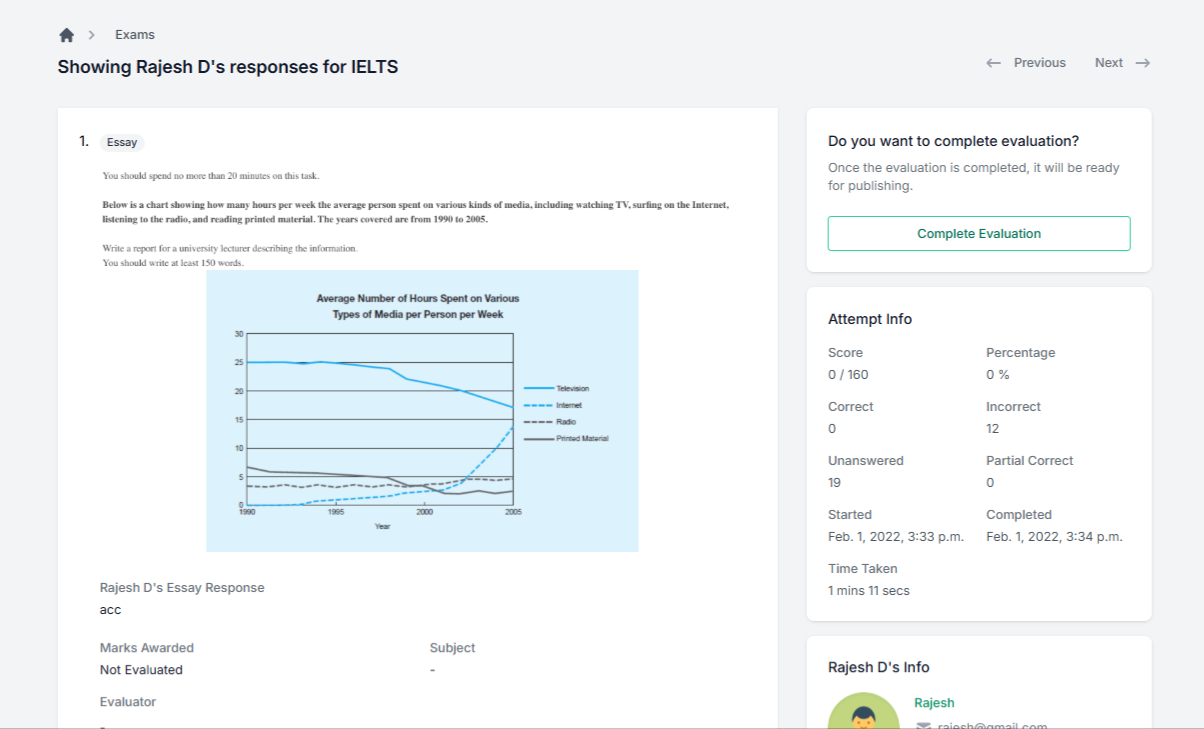
You will see individual responses for each learner. Review the answers carefully and add marks and comments for each response.
Step 3: Complete and Publish Evaluation
After evaluating all answers, click Complete Evaluation.
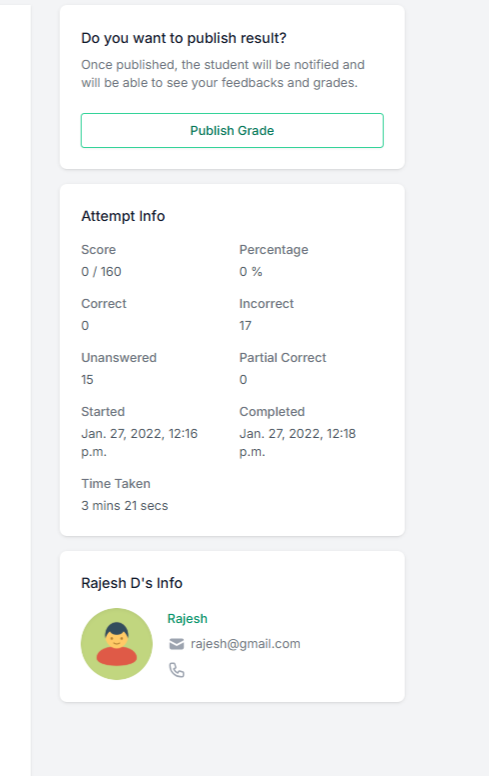
Once completed, click Publish Grade so learners can view their results and feedback.
Step 4: Assign an Evaluator
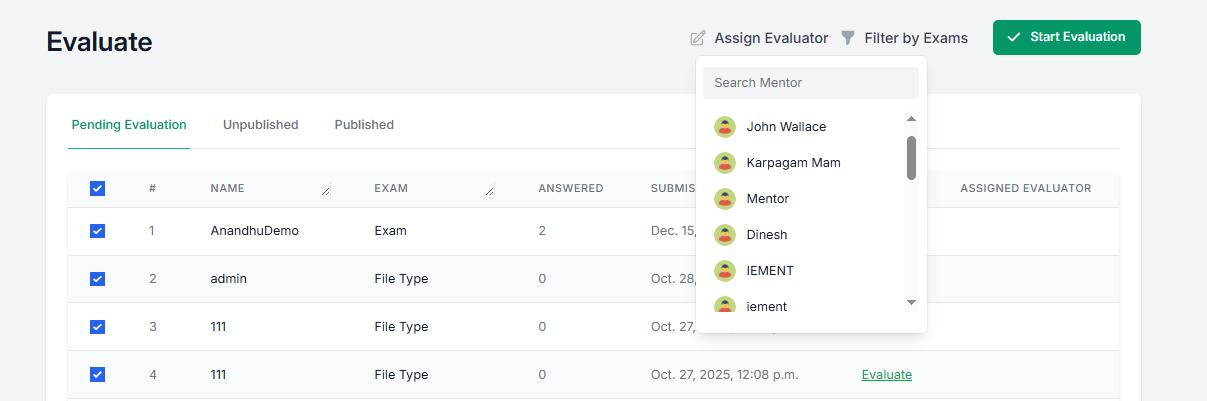
You can assign an evaluator to handle the evaluation. Select one or more exams and choose an evaluator from the list.
Step 5: Filter Exams
Use Filter by Exams to quickly find specific exams and manage evaluations easily.
This evaluation flow helps you review responses efficiently, assign evaluators when needed, and publish results with clear feedback in just a few steps.
Was this article helpful?
That’s Great!
Thank you for your feedback
Sorry! We couldn't be helpful
Thank you for your feedback
Feedback sent
We appreciate your effort and will try to fix the article