This section helps you display your institute’s social media pages on the Testpress login dashboard, making it easy for learners to connect with you on platforms like Facebook, Instagram, YouTube, LinkedIn, and Telegram.
By adding social media links:
Learners can quickly visit your official social pages
Your brand visibility increases
Communication and community engagement improve
Where to Add Social Media Links in Testpress
Admins can add social media links directly from the Testpress admin panel.
Steps to Add Social Media Links
Log in to your Testpress Admin Dashboard.
Navigate to Settings.
Click on Institute.

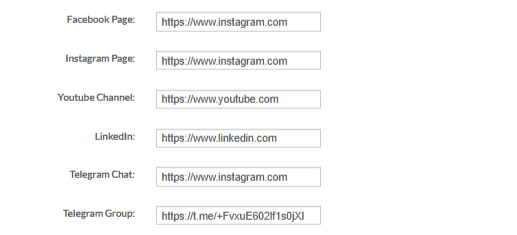
Scroll to the Social Media Links section.
Enter the URLs for the required platforms: Facebook Page, Instagram Page and many more
Click Submit to save the changes.
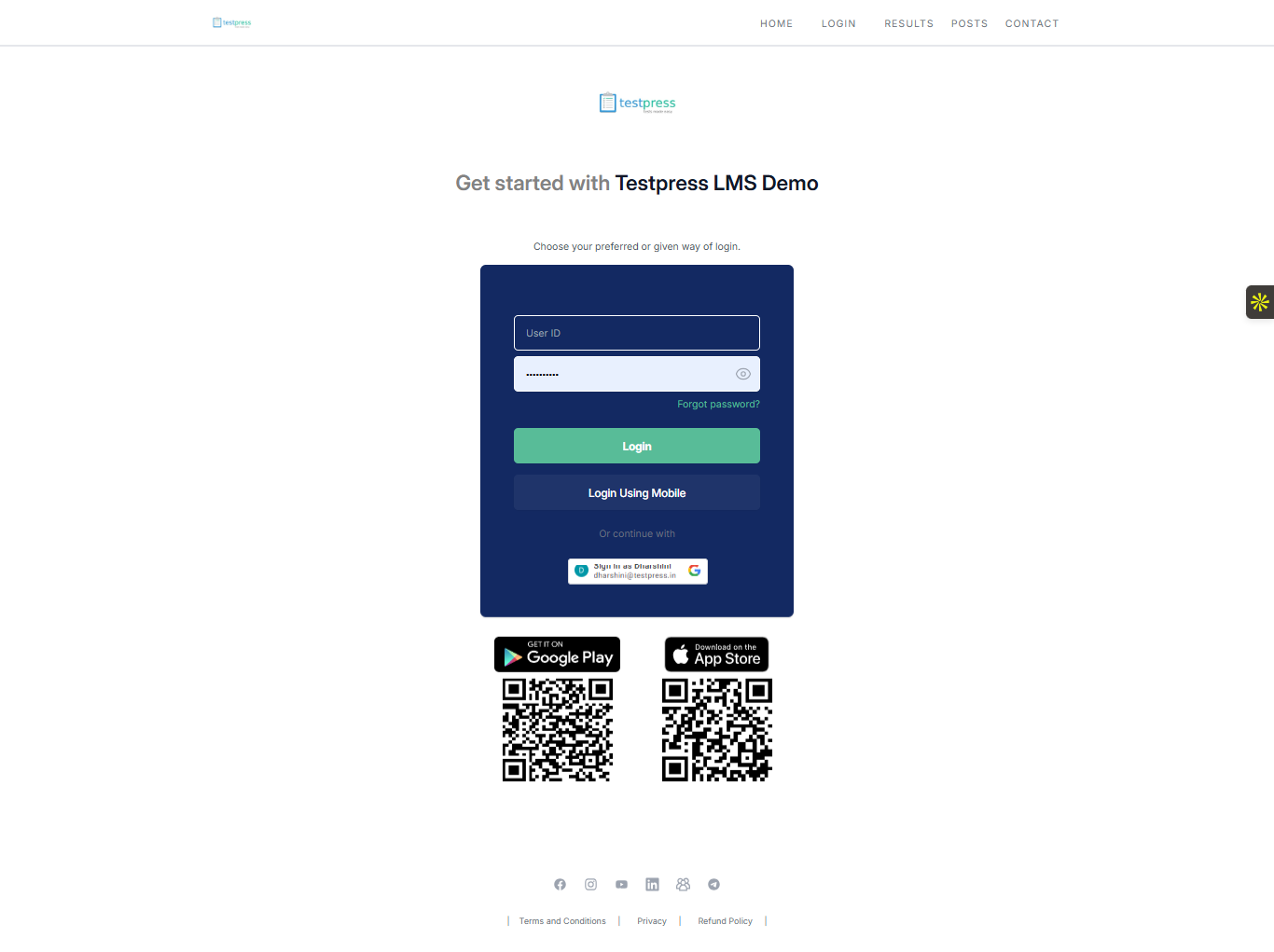
Once saved, the added social media links will appear on the login dashboard footer of the Testpress LMS.
Was this article helpful?
That’s Great!
Thank you for your feedback
Sorry! We couldn't be helpful
Thank you for your feedback
Feedback sent
We appreciate your effort and will try to fix the article